Your day, in the right order.
PaxHelm brings tasks, reminders, follow-ups and projects into one view of the day you can read at a glance. Mail and calendar stay in Outlook or Gmail; notes stay in Obsidian.
Free until we announce pricing. No card needed.
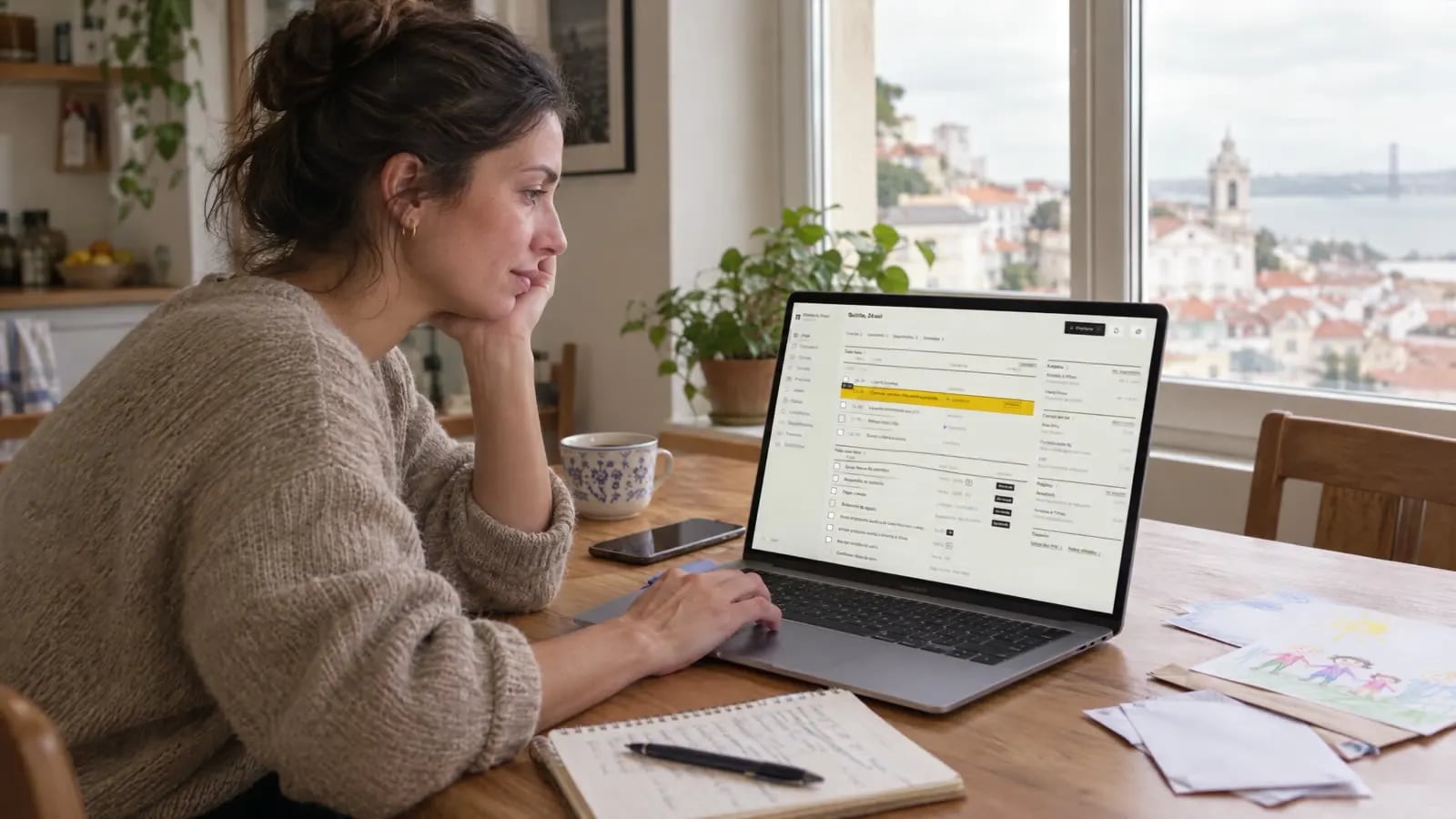
One screen for the whole day.
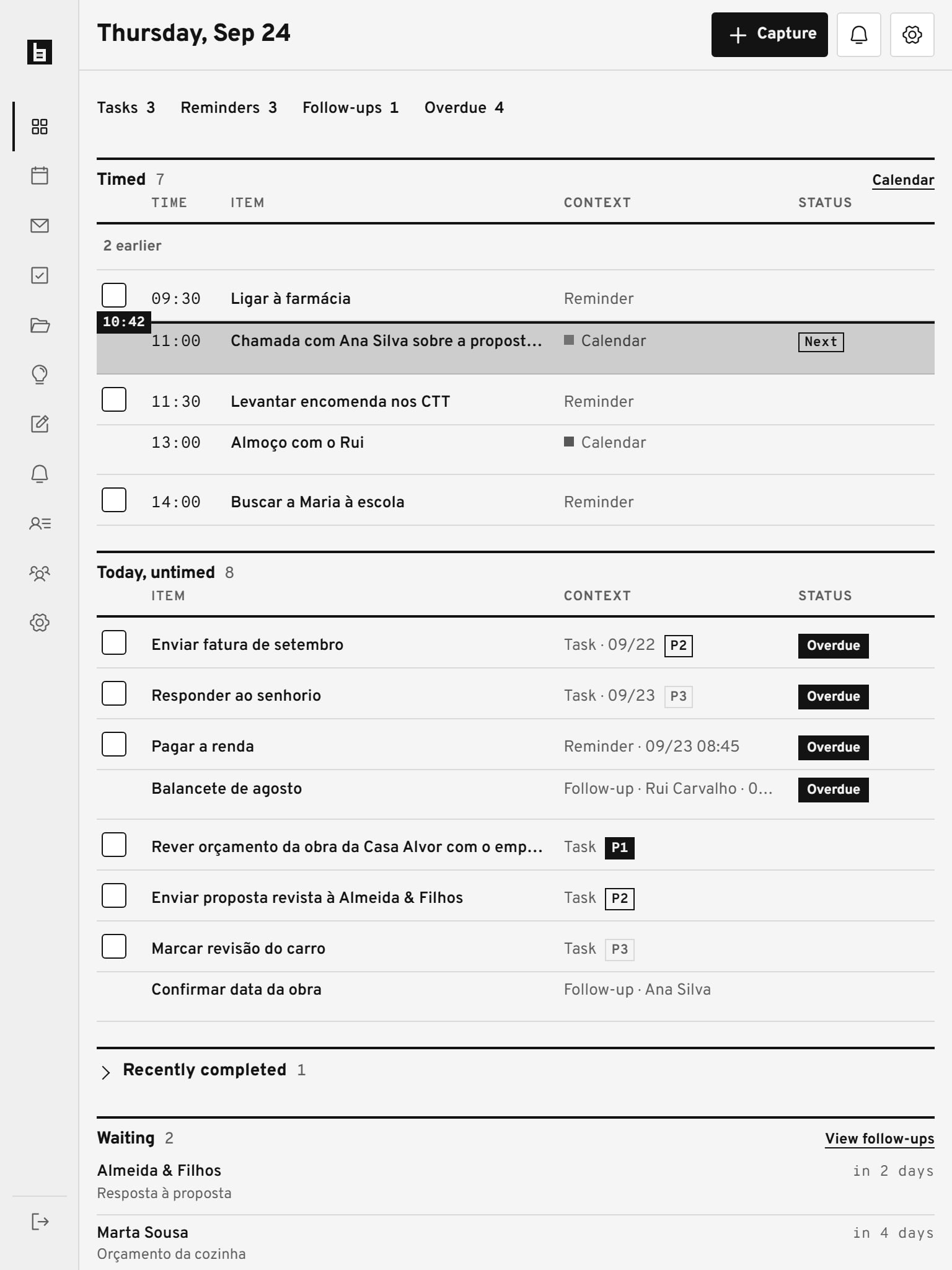
The Today view shows the day in the order of its hours: the now line, the next appointment and what is overdue. Beside it, who is waiting for an answer, unread mail and your projects.

Write it now, sort it later.
A call to make, an idea, a client's request: it is saved in seconds, on your computer or your iPhone. Say whether it is a task, an idea, a note, a reminder or a follow-up; the due date is optional.
On a computer, just press C.

Know who you're waiting on.
Each follow-up keeps the subject, the person and the date, and moves to Overdue when the answer doesn't come. Nothing is left forgotten in an inbox.

AI proposes; nothing changes without you.
On your computer.
The local agent runs on your computer and does the background work: it sorts captures, proposes a project's next action, drafts a reply. Cloud AI is optional and works only if you turn it on.
Your assistant, over MCP.
PaxHelm has an MCP server. Connect the AI assistant you already use and allow, permission by permission, what it may read and do. No app can delete data, send mail or change settings.

Mail and calendar stay where they are.
Connect Outlook and Microsoft 365, Gmail or any IMAP account. PaxHelm shows unread mail and today's events beside your tasks.
Sending an email always asks for your confirmation.
Long-form notes stay in Obsidian, synced both ways by the BexoDash Sync plugin.

On your computer, iPhone and e-ink.
It installs from the browser. On your computer, to plan and deal with mail; on your iPhone, to capture and get reminders; on an e-ink tablet, to review the day in greyscale, without relying on colour.
For small teams.
Create a shared workspace and invite people by email. Each person has a role: owner, admin or member. Projects and tasks are shared; each person's mail, devices and notes stay private.

Who makes PaxHelm
PaxHelm started as the daily tool of one person who runs several projects and clients, and it is still used that way every day. It is made in Portugal, with European Portuguese as its first language and English alongside.
You can export all of your data at any time from the settings. How we handle it is set out in the privacy policy. For questions, write to [email protected].
Start with today.
Free until we announce pricing. No card needed.